Put the thought on the page.
Combine pen strokes, typed notes and PDF backgrounds in a flexible page-based workspace.
Pen notes and PDF annotation for Windows
Write a thought, sketch a connection, or mark up a PDF. Bring a familiar page setup to your next note, then export a copy you can share.
Available on Microsoft Store · Windows 10 and 11
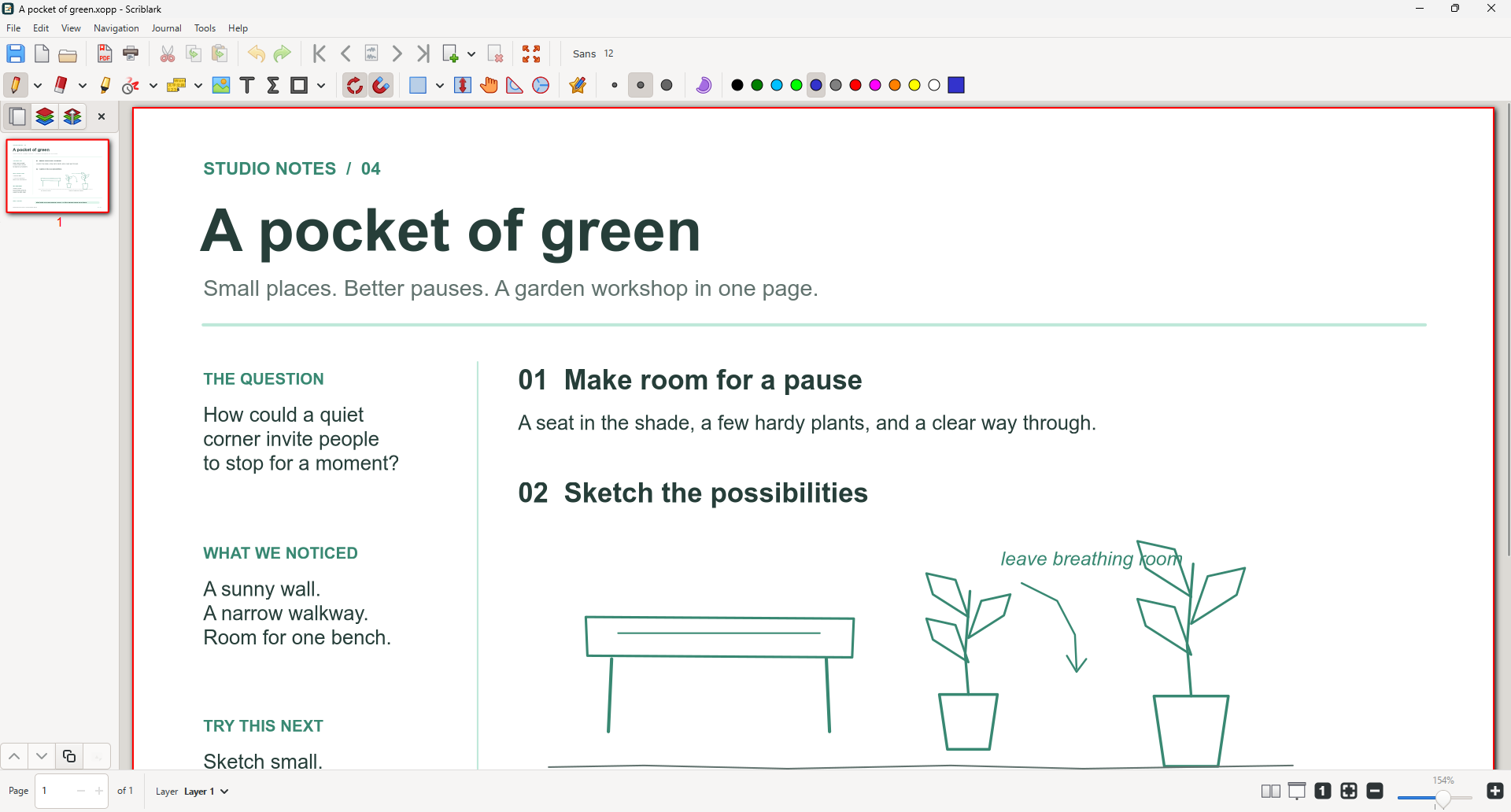
Combine pen strokes, typed notes and PDF backgrounds in a flexible page-based workspace.
Save named page templates for recurring notes. Return to the page size and ruling that suit the work.
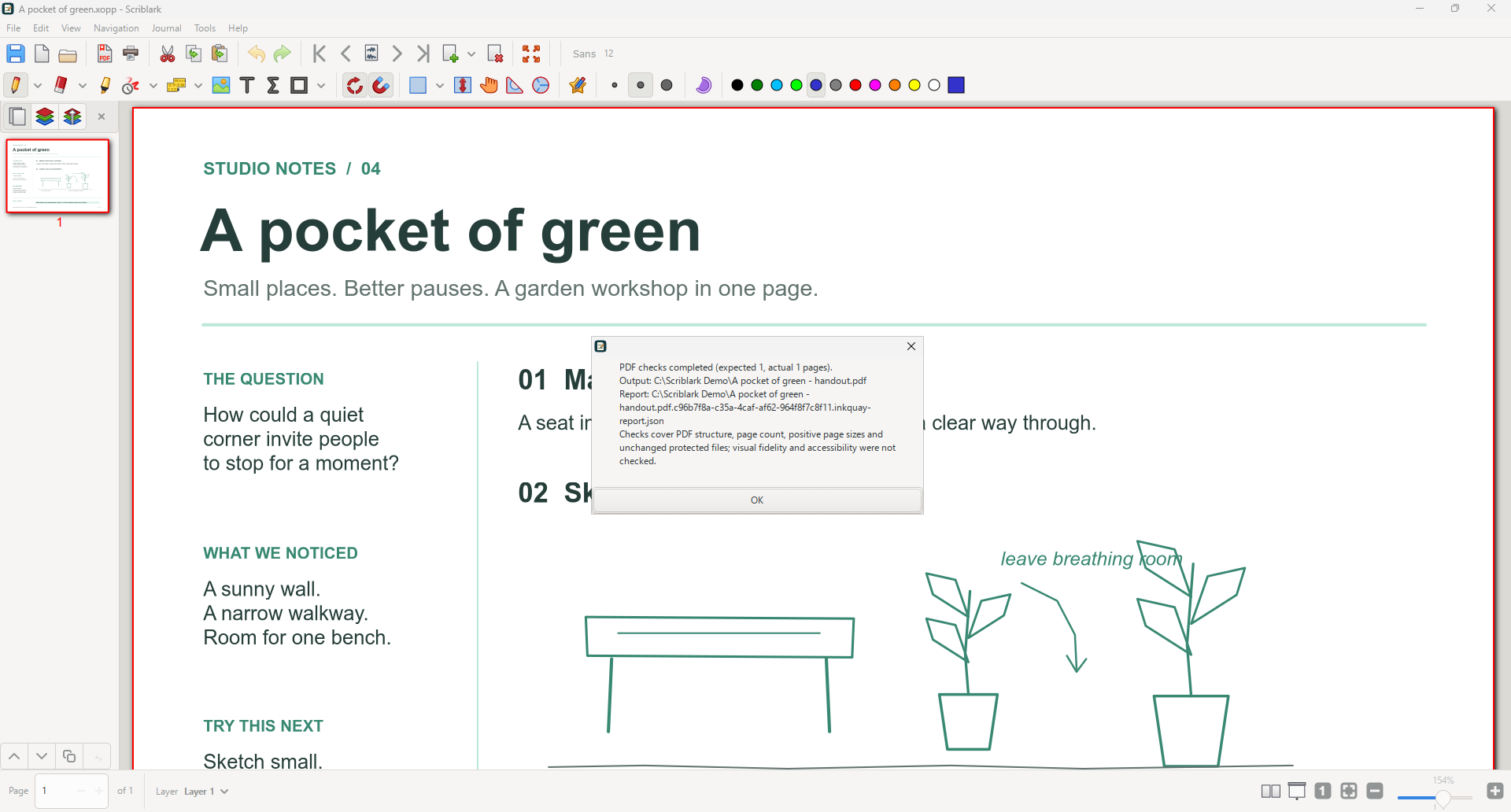
Create a PDF and review its page-count and structural checks. Keep your original note as the editable document.
Keep the work moving
A meeting, a class, a reading session: choose a page setup for the task and keep it in your named template library.
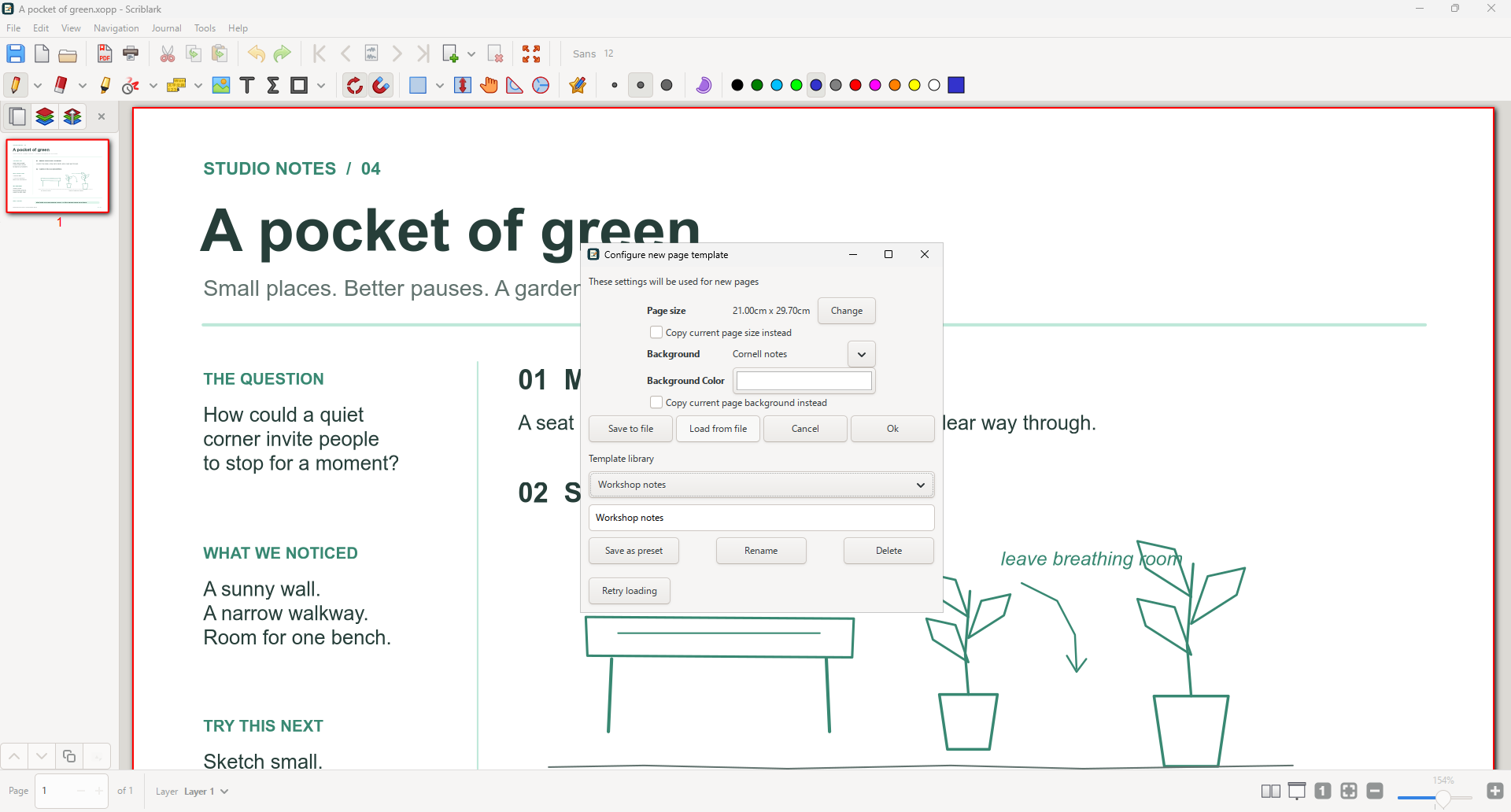
A familiar workflow
Your note stays editable. Your exported PDF becomes the copy you can review and share.
Start a page, or open a PDF you want to annotate.
Use a saved template and add notes, sketches and annotations.
Create a PDF, read its check report, and inspect the output.
One-time purchase
Pen notes, reusable page setups and checked PDF exports, with no subscription.
US launch price · Pay once, no subscription.
Microsoft Store displays local prices and applicable taxes.
Before you get started
Handwriting-to-text recognition is not included. Scriblark supports handwritten notes, typed text and annotations.
Checks reopen the exported PDF and inspect its page count and structure. They do not certify visual fidelity or accessibility. Review the actual PDF before sharing it.
Save your editable note separately. Export produces a PDF copy; it does not replace the need to save the working document.
Notes, PDF backgrounds, templates and export reports stay on your computer in the locations and local settings used by the app. No account or cloud upload is needed for these workflows.
Scriblark is an independent Trieflow LLC product based on Xournal++ open-source software. Source code, build information and original license notices are available without charge. Get product support.